
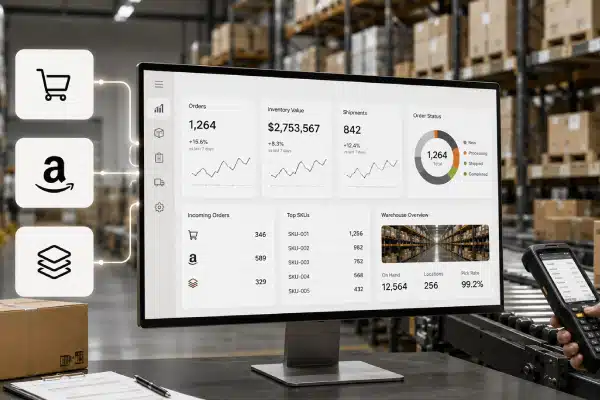


Integrating your warehouse management software (WMS) with platforms like Shopify, Amazon, and ERP systems is no longer optional it’s essential for scaling operations, reducing errors, and improving order fulfillment speed.
If you’re managing inventory across multiple channels, this guide will show you exactly how integration works, how to do it, and how to avoid common mistakes.
What Is WMS Integration?
WMS integration connects your warehouse software with external platforms such as:
- Ecommerce platforms (Shopify)
- Marketplaces (Amazon)
- ERP/accounting systems
This allows real-time data synchronization, including:
- Inventory levels
- Orders
- Shipping updates
- Customer data
WMS integration is the process of connecting warehouse software with ecommerce platforms and ERP systems to automate inventory, orders, and fulfillment in real time.
Why WMS Integration Is Important
Without integration, businesses face:
- Manual data entry
- Inventory mismatches
- Delayed order processing
- Overselling or stockouts
With integration, you get:
- Real-time inventory accuracy
- Faster order fulfillment
- Centralized operations
- Better decision-making
How WMS Integration Works
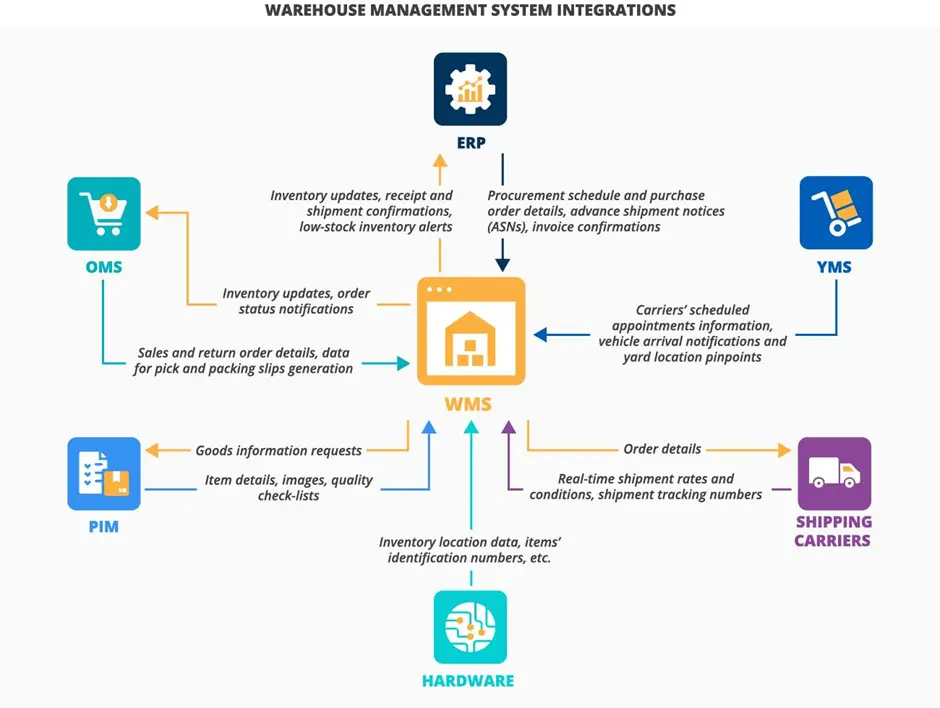

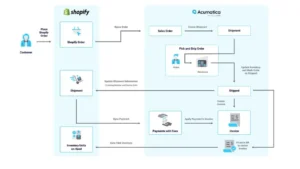
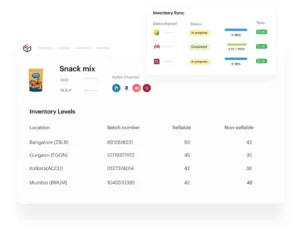
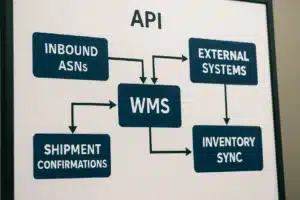
At a basic level, integration works through:
1.APIs (Application Programming Interfaces)
- Enable systems to communicate automatically
- Sync orders, inventory, and tracking data
2.Middleware
- Acts as a bridge between systems
- Useful when direct integration isn’t available
3.Webhooks
- Send real-time updates when events occur
- Example: New order placed on Shopify
Step-by-Step: How to Integrate WMS with Shopify, Amazon & ERP
Step 1: Identify Your Integration Requirements
Before starting, define:
- Sales channels (Shopify, Amazon, etc.)
- ERP system in use
- Order volume
- Inventory complexity
Step 2: Choose a WMS That Supports Integration
Your WMS should offer:
- API access
- Multi-channel support
- Real-time syncing
- Scalability
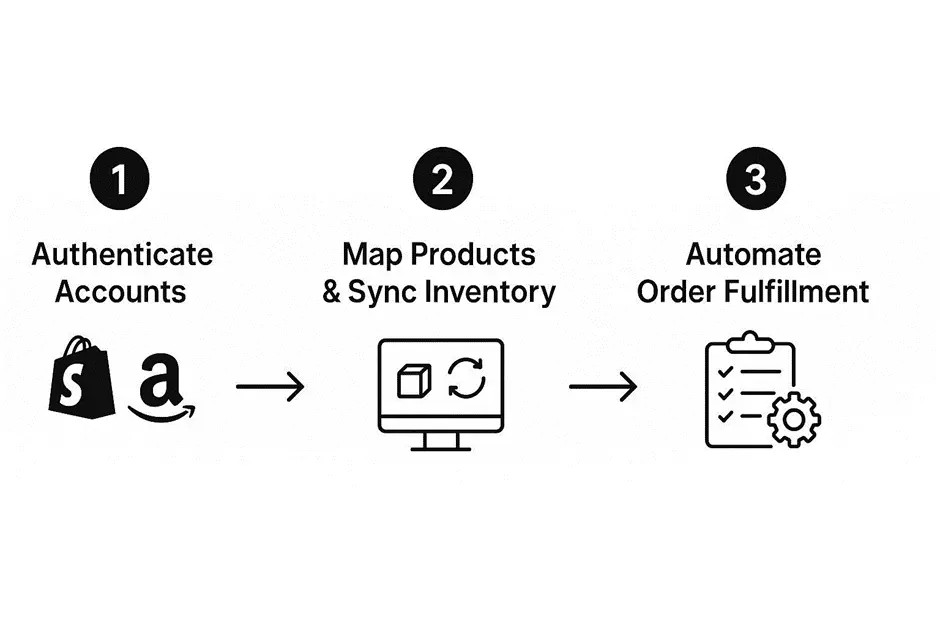
Step 3: Integrate WMS with Shopify
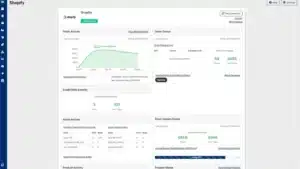
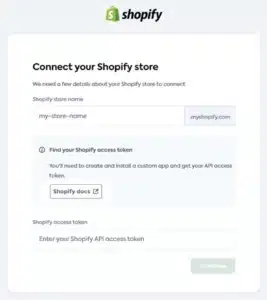




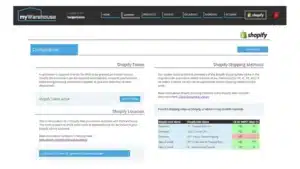
How it works:
- Orders from Shopify flow into WMS
- Inventory updates reflect back automatically
Basic process:
- Connect via API or app
- Map products (SKU matching)
- Enable order sync
- Test data flow
Yes, WMS can integrate with Shopify using APIs or apps to sync orders and inventory automatically.
Step 4: Integrate WMS with Amazon
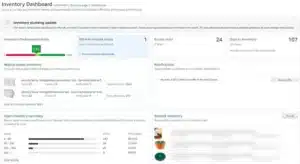
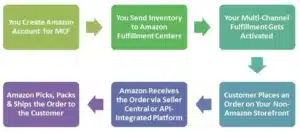
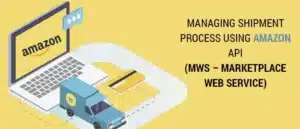


How it works:
- Orders from Amazon sync into WMS
- Inventory updates prevent overselling
Integration methods:
- Amazon API (SP-API)
- Middleware tools
Yes, WMS integrates with Amazon to sync inventory, manage orders, and improve fulfillment accuracy.
Step 5: Integrate WMS with ERP Systems
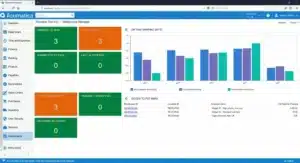
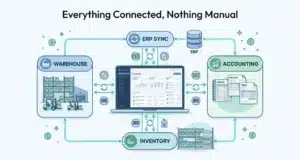
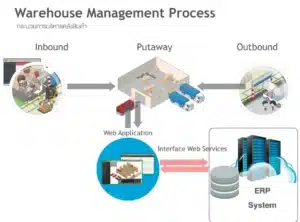
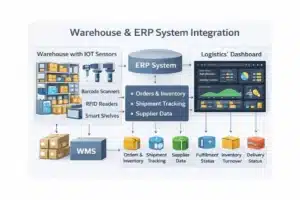
What syncs with ERP:
- Financial data
- Purchase orders
- Inventory valuation
Benefits:
- Accurate financial reporting
- Better demand planning
ERP integration in warehouse software connects inventory and financial systems for real-time business insights and reporting.
Step 6: Test and Validate Integration
Before going live:
- Run test orders
- Check inventory sync
- Verify error handling
- Monitor delays or mismatches
Common WMS Integration Challenges (and Fixes)
1.Inventory Not Syncing
Cause: SKU mismatch
Fix: Ensure consistent SKU mapping across systems
2.Delayed Order Updates
Cause: API latency or misconfiguration
Fix: Optimize sync frequency or use webhooks
3.Duplicate Orders
Cause: Poor integration setup
Fix: Configure unique order IDs
4.Data Inconsistency
Cause: Manual overrides
Fix: Automate workflows and limit manual edits
Best Practices for Successful Integration
- Use standardized SKUs
- Automate as much as possible
- Choose scalable software
- Monitor integration performance regularly
- Keep systems updated
How WizeFulfill Supports Seamless Integration
Modern solutions like WizeFulfill are designed to:
- Centralize multi-channel operations
- Sync inventory in real time
- Improve order accuracy
- Reduce manual workload
This helps businesses scale without operational bottlenecks.
FAQs
How do I integrate WMS with Shopify?
You can integrate WMS with Shopify using APIs or third-party apps to sync orders and inventory automatically.
Can WMS connect with Amazon?
Yes, WMS connects with Amazon using APIs to manage orders, inventory, and fulfillment efficiently.
What is ERP integration in warehouse management?
ERP integration connects warehouse operations with financial and business systems for better visibility and reporting.
What is the best way to integrate warehouse systems?
The best way is through APIs for real-time data syncing, supported by middleware if needed.
Final Thoughts
Integrating your warehouse management software with Shopify, Amazon, and ERP systems is a critical step toward operational efficiency and business growth.
When done correctly, it eliminates manual work, reduces errors, and gives you complete control over your inventory and fulfillment process.